
FluentPro Backup subscription is provided on an annual/monthly basis and is licensed for the storage space used by the backups.
To see the current limits set by your license plan, open your FluentPro Backup account. The license limits are available on the Home page directly.
By default, the limit for a trial period is the following: Storage Limit: 250GB (100GB for Dataverse environment).
You can use the Backup Usage Forecast option to predict the required storage amount for your paid subscription. For more details, please refer to this article: How to choose the correct storage size for your Subscription plan.

On a paid subscription, you select the amount of storage needed.

Also, to check your license limits, open the settings and select the Subscriptions option.
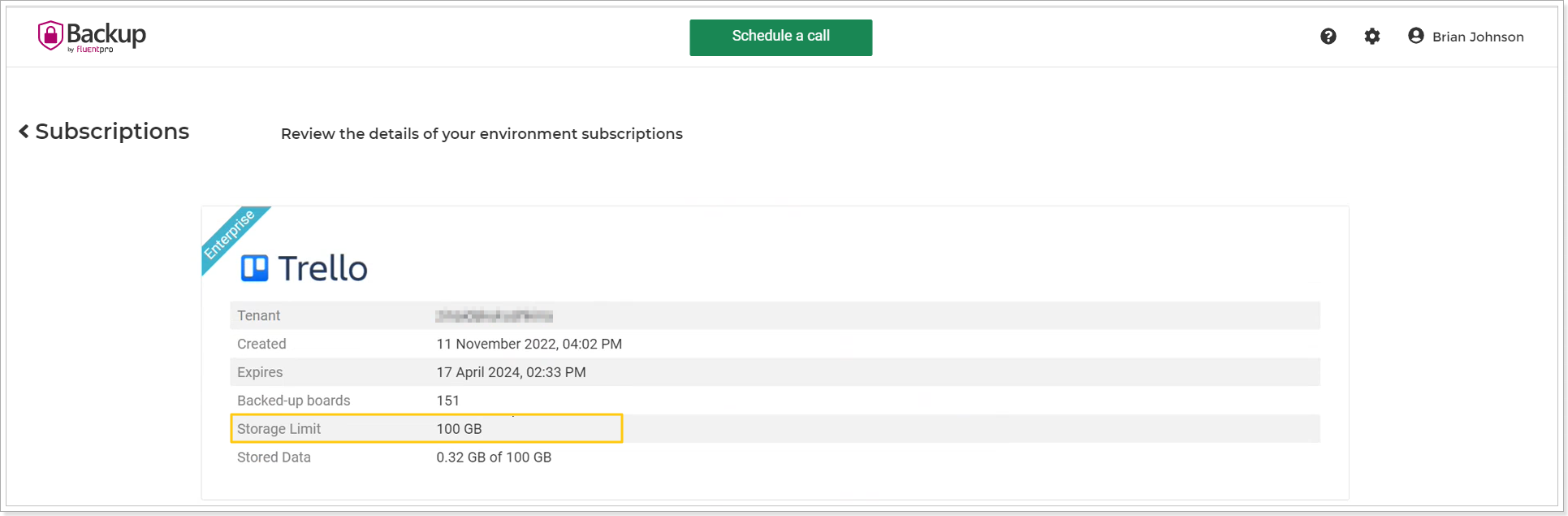
Storage Limit is a limit for the amount of storage used for data that was backed up and saved (data itself and the summary information about the data structure).
Please note: To stay within your subscription license limits, do not exceed the Stored Data Limit.
If you are about to exceed your license limits, you will see the corresponding notifications in the upper part of any FluentPro Backup page.

Also, a notification email will be sent to the email address you provide when you register your FluentPro Backup account. When 80% of the allowed storage is used, the first notification is shown/sent; then notifications are sent at 90% and 95%.
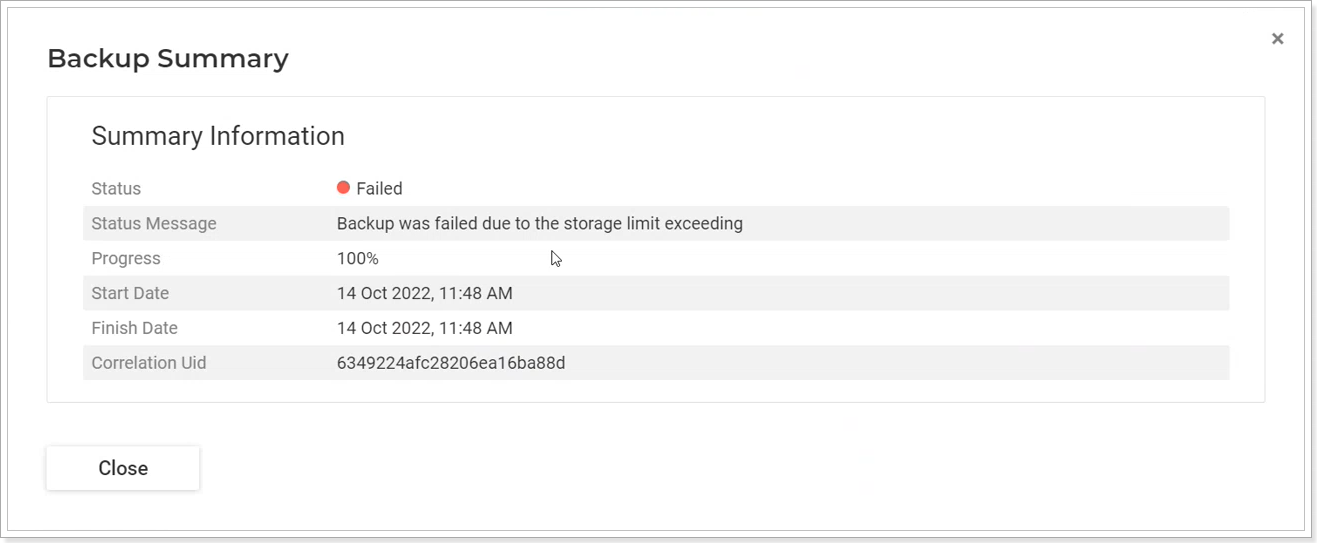
If your storage limit is exceeded, then all backups will fail with a corresponding message:
To prevent the license limits from being exceeded, you may adjust the retention policy settings, delete the unnecessary backup files from the Operation Details page, or contact the FluentPro Customer Success Team at customersuccess@fluentpro.com to add more storage to your subscription plan.